
Bath & Body Works
Bath & Body Works- MobileShopping
4.233.37K Reviews
- Version
- 13.4.0
- Installs
- 10.00M
- Age Rating
- Everyone
Screenshots
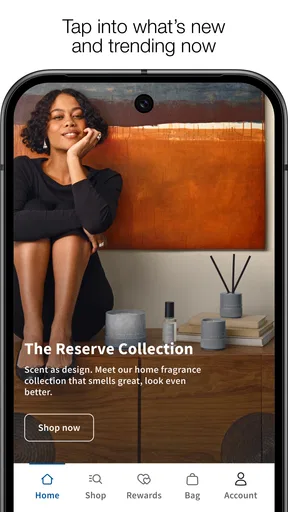
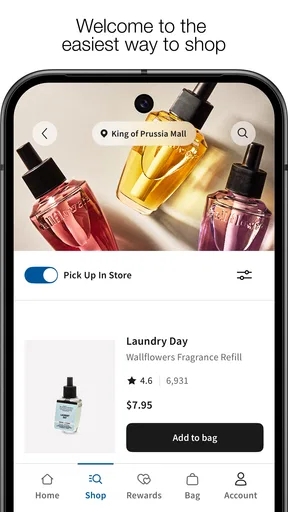

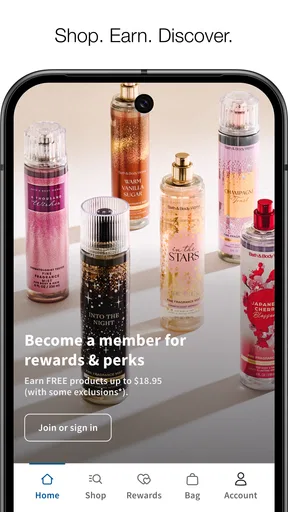
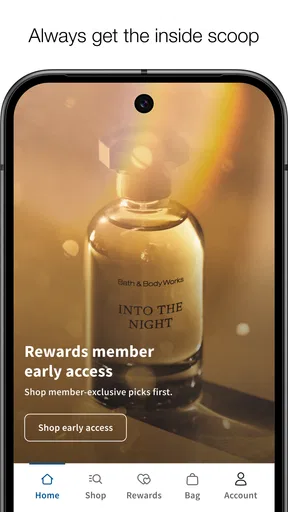
Our Review of Bath & Body Works
 Analysis by Appyee
I opened Bath & Body Works expecting a straightforward shopping app, and that is exactly where its strength lies. It puts the brand’s fragrances, candles, and body-care products into a mobile browsing experience that feels more convenient than starting from a blank browser page. I can look through familiar product types, compare options, and build a purchase without needing to visit a store first. It is free to use, rated for Everyone, and developed by Bath & Body Works- Mobile.
My overall impression is positive, but with an important qualification: this is a focused brand-shopping tool, not a general marketplace. If I already know I want Bath & Body Works products, the app gives me a practical way to browse from the sofa, check a product page, and return to a familiar routine. If I am searching for the lowest price across many brands, comparing ingredients from different retailers, or trying to discover completely unrelated products, a broader shopping app will usually be more useful.
How the everyday shopping workflow feels
The basic routine is easy to understand. I open the app, browse the available product areas, narrow my attention to things such as fragrance, candles, or body care, and inspect individual items before deciding what belongs in my basket. That sounds simple, but it matters because this kind of shopping is often driven by mood and memory. I may remember wanting a particular type of candle rather than a precise product name, or I may be replacing a body-care item without remembering its full collection.
In that situation, the app works best as a visual catalog. I can move from broad browsing to a more deliberate choice instead of relying on a search engine that may show old pages, third-party listings, or unrelated results. The experience is particularly suitable for repeat shoppers who already recognize the brand’s product families and want to see what is available without making a separate trip.
I also found that the app fits two different shopping mindsets. The first is planned shopping: I know I need a gift, a candle, or a replacement item and want to review several possibilities. The second is exploratory shopping: I want to see which scents or product formats catch my attention. The first use feels efficient, while the second is more leisurely. That distinction helps set expectations; it is not designed to turn a quick errand into a universal product comparison session.
A realistic example would be preparing for a birthday gift after work. Instead of trying to remember every product category in a physical store, I can browse from home, compare the general feel of several fragrance or body-care choices, and assemble a shortlist before buying. I would still want to check the final product details carefully, especially when choosing for someone else, but the app reduces the initial effort of organizing the search.
For a regular customer, the most useful habit is to treat the app as a planning tool rather than only a checkout tool. I can browse when I have time, note which items appeal to me, and return later when I am ready to purchase. That approach is less impulsive and makes the app more valuable between shopping occasions.
What I check before committing to an item
Product photography can make fragrance shopping feel easier than it really is. A polished image tells me about packaging, but it cannot fully reproduce how a scent will feel in person. I therefore use the app to narrow the field, not to pretend that a screen replaces smelling a product. For gifts, I pay extra attention to whether the choice feels broadly suitable rather than selecting only because the packaging looks appealing.
With candles and body care, the product format matters just as much as the scent family. Someone may enjoy a fragrance in a room but not want it as a personal-care product, or prefer a smaller giftable item instead of a larger home product. I find it helpful to decide the intended use first and then browse within that purpose. This prevents the catalog from becoming a long stream of attractive but unsuitable choices.
The app is also more useful when I have a small decision rule. For example, I might select three candidates, compare their descriptions and presentation, and then stop browsing. Without that limit, fragrance catalogs can encourage endless scrolling. My practical advice is to use the app’s breadth for discovery, but bring your own criteria for the final choice.
Settings and account details worth checking
Before relying on the app for a purchase, I would review the account and device settings that affect the shopping experience. I want to know which account I am using, whether my basket is still present after returning later, and whether the app is showing the correct shopping context. These checks are simple, but they prevent the common annoyance of preparing an order and then discovering that the session is not the one I expected.
I would also keep notifications under control. Shopping alerts can be useful when I actively want reminders, but they can become distracting when I am only browsing. My preference is to allow only the alerts that support a current shopping plan and silence the rest through the phone’s notification controls. That keeps the app available without letting it dictate when I think about shopping.
Privacy-conscious users should take the same measured approach with permissions. I do not grant access automatically just because an app asks during setup. I consider whether a requested permission is necessary for the task I am trying to complete, and I revisit the choice later if my needs change. This is a good general habit, especially for a shopping app that I may use only occasionally.
The current version is 13.1.0, and the minimum operating-system requirement is 12. That makes compatibility an important first check for anyone using an older device. On a supported phone, I would still keep the app updated through the normal app-store process, because shopping experiences can depend on current account, catalog, and checkout behavior. I would not install it on a device that falls below the stated system requirement and expect the same experience.
Another useful setting is the phone’s display and text configuration. Product browsing involves reading names and descriptions, so increasing text size or display scaling can make the app more comfortable for some users. The trade-off is that larger text may show less information at once, requiring more scrolling. I prefer readability over density when I am comparing gift options.
Shortcuts that make repeat shopping less tiring
Experienced users can make the app feel faster without relying on imaginary features. My first shortcut is to begin with a clear purpose: home fragrance, personal care, or a gift. Starting from that decision is quicker than opening the app and browsing every category. It also reduces the chance that I will fill my basket with products that do not fit the occasion.
My second shortcut is to use a repeatable shortlist. When I am shopping for a gift, I look for a small group of candidates with different roles: one safe choice, one more distinctive choice, and one practical option. I then compare those candidates rather than repeatedly reopening the entire catalog. This is not a special app function; it is a browsing method that works well with a brand catalog.
For personal restocking, I separate “replace now” from “try later.” Items I already know I use go into the first group. New scents or unfamiliar formats stay in the second group unless I have a specific reason to buy them immediately. That habit helps me avoid confusing curiosity with need, and it makes the final basket easier to review.
I also recommend checking the order carefully before completing it, particularly when multiple products have similar names or packaging. Fragrance shopping is vulnerable to small selection mistakes because several items may look related. A deliberate final scan of product names, quantities, and intended recipients is faster than correcting an avoidable error afterward.
Another efficient pattern is to browse at a calm moment and purchase later. I might explore options during a break, close the app, and return when I have decided what I actually want. This is useful for gifts and seasonal shopping, where the first attractive item is not always the best choice. It also gives me time to confirm that the product fits the recipient rather than relying on a rushed decision.
Where the app reaches its limits
The biggest limitation is focus. Bath & Body Works is useful when the brand itself is the destination, but it does not replace a general retailer for cross-brand research. If I want to compare similar candles from several companies, investigate a broad range of price points, or combine household shopping with personal care, I would use a marketplace or retailer with a wider catalog.
There is also a sensory limit that no mobile interface can remove. I can inspect presentation and read product information, but I cannot smell a fragrance through the screen. For a buyer who is very particular about scent, an in-person visit may be the better first step. The app then becomes more useful for remembering a choice or making a later purchase than for making the initial sensory judgment.
Browsing can also encourage over-selection. A large brand catalog is enjoyable, but it can make a simple purchase feel like a research project. I solve that by setting a purpose and a stopping point before I begin. If I am still comparing nearly identical options after several rounds, that is usually a sign that I need a clearer preference, not more scrolling.
Users who need highly detailed comparison tools may find the experience less satisfying than a specialist review site or a broad retailer. Those services can be better for comparing multiple brands, reading a wider range of independent opinions, or evaluating alternatives in one place. The Bath & Body Works app has a different role: it keeps the brand’s own shopping journey close at hand.
It is also not the right choice for someone who dislikes brand-specific shopping environments. If I want one app for groceries, electronics, clothing, and beauty products, installing a dedicated brand app adds another account and another place to manage. In that case, the convenience of a focused catalog may not outweigh the extra separation.
Who will get the most value from it
I would recommend it to existing Bath & Body Works customers, gift shoppers, and anyone who likes browsing fragrance, candle, and body-care collections from a phone. It is especially handy for people who already know the brand’s product language and want a direct route to familiar categories. The free price also makes trying it low-risk for a supported device.
The app has a substantial audience, with an average rating of 4.2 from around 290 thousand ratings and more than 10 million installs. Those figures suggest that it is not a niche experiment, although popularity alone does not guarantee that every shopper will enjoy the same workflow. I would treat the rating as reassurance that the basic experience works for many people, not as a substitute for deciding whether a focused brand catalog suits my habits.
The Everyone age rating makes it broadly accessible as a shopping app, but younger users should still involve a parent or guardian when making purchases. The rating describes the app’s content, not permission to spend money independently. That distinction is worth remembering when the app is installed on a shared family device.
On the other hand, I would suggest skipping it if I were mainly looking for independent product testing, extensive cross-brand comparisons, or a single universal shopping account. I would also skip installing it solely for one quick purchase if my phone has limited storage or does not meet the operating-system requirement. In those situations, the mobile browser or a broader retailer may be the more sensible route.
My verdict after making it part of a shopping routine
Bath & Body Works succeeds because it does not try to be everything. It gives the brand’s core shopping categories a dedicated mobile home, and that is valuable when I already know what kind of purchase I want to make. I like using it to prepare gifts, revisit familiar product types, and turn casual browsing into a more organized shortlist.
My strongest recommendation is to combine the app with a disciplined routine: choose the purpose first, review the relevant category, keep a short list, check the final details, and use notification and account settings deliberately. Those habits make the experience calmer and reduce the two main problems I encountered—endless browsing and choosing a fragrance without enough real-world context.
It is not a replacement for visiting a store when scent is the deciding factor, and it is not a better alternative to a marketplace when comparison across brands matters most. Within its intended role, though, I find it convenient and easy to return to. Bath & Body Works- Mobile has built a focused shopping app that works best for repeat customers who want a faster, more organized way to browse the brand’s fragrances, candles, and body care rather than a general-purpose shopping experience.
Privacy and Permissions
See what permissions an app requests and how it handles your data.
- Location
- approximate location (network-based), precise location (GPS and network-based)
- Phone
- read phone status and identity
- Photos/Media/Files
- read the contents of your USB storage, modify or delete the contents of your USB storage
- Storage
- read the contents of your USB storage, modify or delete the contents of your USB storage
- Camera
- take pictures and videos
- Device ID & call information
- read phone status and identity
- Other
- view network connections, control flashlight, full network access, run at startup, control vibration, prevent device from sleeping, read Google service configuration
Verdict
Strengths of Bath & Body Works
- Frequent promotions make premium products more affordable.
- Wide range of seasonal scents and limited-edition collections.
- Gift sets are convenient for birthdays and special occasions.
- Store locator helps find nearby Bath & Body Works locations.
- Wish lists and saved items simplify future shopping.
Limitations of Bath & Body Works
- Some fragrances may feel too strong for sensitive users.
- Popular limited-edition products can sell out quickly.
- Shipping costs may reduce the value of small orders.
- The app may promote notifications and offers quite frequently.
- Product availability can vary considerably by store and region.
Similar Picks in This Category
View All
SHEIN-Shopping Online
Roadget Business PTE. LTD.4.8

Amazon Shopping
Amazon Mobile LLC4.4


Mercado Libre: Compras online
Mercado Libre4.8

Wish: Shop and Save
Wish US Holdings LLC4.7

Alibaba.com - B2B marketplace
Alibaba Mobile4.4
Frequently Asked Questions
What is the Bath & Body Works app used for?
The Bath & Body Works app is designed to make shopping for body care, fragrances, candles, and home products more convenient. After installing it, users can browse the current catalog, check product details and reviews, look for promotions, manage their account, and place orders. The app may also provide personalized recommendations and easier access to the brand’s loyalty benefits, depending on availability in your region.
Can I use Bath & Body Works coupons and rewards in the app?
In many cases, the app allows eligible users to access digital coupons, promotional offers, and rewards connected to their Bath & Body Works account. Availability and conditions can vary by country, campaign, and membership status. Before completing a purchase, carefully check the expiration date, minimum spending requirements, product exclusions, and whether an offer is valid online, in stores, or through the app only.
Does the Bath & Body Works app support online ordering and delivery?
The app generally supports browsing products and placing online orders where Bath & Body Works offers mobile shopping services. During checkout, you can usually review available shipping methods, delivery estimates, taxes, and order totals before paying. Options may differ according to your location, product type, inventory, and seasonal demand. Some items may have shipping restrictions or may not be available for delivery.
Can I check whether a product is available at a nearby Bath & Body Works store?
The app may help you find nearby stores and, for selected products, check local availability or choose a store-related fulfillment option. However, inventory information is not always updated instantly, so an item shown as available could sell out before you arrive. It is best to confirm important purchases with the store directly, especially during major sales, holidays, or limited-edition product launches.
Is the Bath & Body Works app free and safe to download?
The Bath & Body Works app is typically free to download, although normal mobile data charges may apply when using it without Wi-Fi. For safer installation, download it only from the official Google Play Store or Apple App Store and verify that the publisher is Bath & Body Works. The app may request account, payment, location, or notification permissions, so review its privacy information before accepting them.
